Inquiry
Form loading...

Blog

Best China Type C Hub with 2 HDMI for Global Buyers?

Best China Type C Hub with 2 HDMI for Global Buyers?

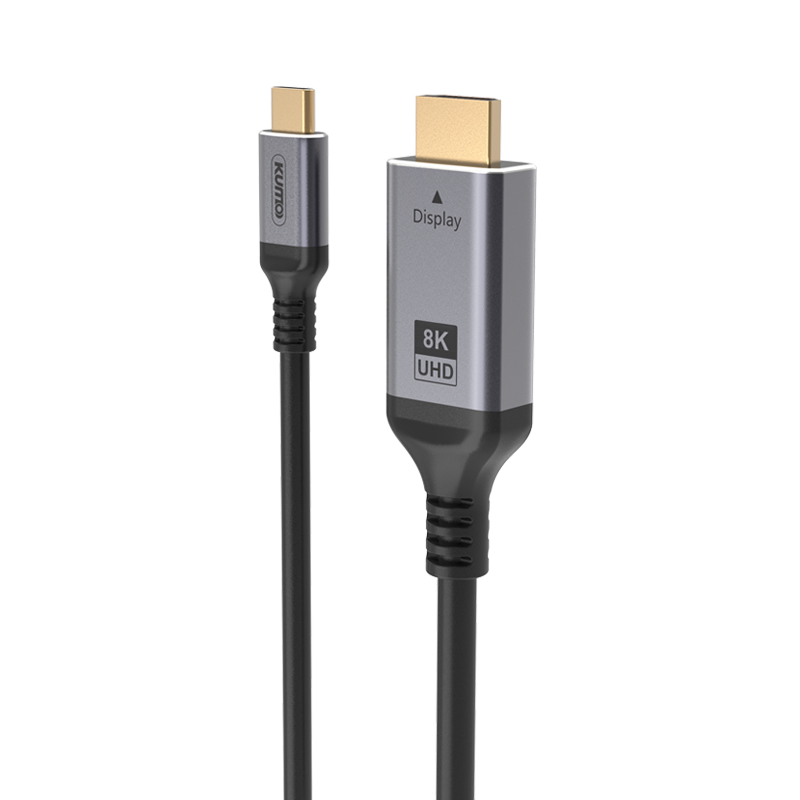
Let’s be honest: when it comes to picking a China-made USB-C hub with HDMI, the best option isn’t just the one with the longest spec sheet. It actually has to fit your specific laptop, your monitors, and how you really work day to day. IDC’s numbers show roughly 262.7 million PCs shipped in 2024 — up just 1% from the year before. That’s a massive installed base, and it’s all over the place when it comes to ports, operating systems, and display setups. So yeah, compatibility matters. When you're comparing hubs, don't just look at the ports. You really need to dig into things like supported resolutions, refresh rates, how it handles two monitors at once, power delivery, heat management, and even warranty support. Sure, HDMI Licensing Administrator will tell you HDMI 2.1 supports up to 48 Gbps, but that doesn't mean the hub will actually hit that—it all comes down to the chipset inside and what your host device can handle. So check the tested specs, not just the shape of the connector. And the little things matter too: for example, will your two monitors extend the desktop or just mirror it? Those details can make or break your setup. If you’re out there shopping, you’ll probably come across all sorts of search terms like “factory 8k hdmi cable,” “male to male hdmi cable,” “hdmi 2.1 version,” “8k 60hz,” and so on. But here’s the thing—just because a listing is loaded with these buzzwords doesn’t actually mean the hub can deliver. So don’t just take the label at face value. Ask the supplier about real test conditions, what chipset they’re using, and ask for a clear compatibility list. A polished spec sheet is nice and all, but honestly, it can still leave some pretty important gaps. Alright, so if you're a global buyer trying to pick a hub, this guide walks you through the practical stuff worth paying attention to. And honestly, Chinese manufacturers often do pretty well when it comes to documentation, consistent quality, and after-sales support that actually responds. But here's the thing: even with all that, there's still a catch. Compact hubs can run pretty warm if you're driving multiple displays for a while. So yeah, definitely check that before you commit.
Read more »
Lila By:Lila - November 8, 2026
Why Choose a Type C Hub for Your Business?

Why Choose a Type C Hub for Your Business?

So, here's the thing—most modern teams aren't stuck at one desk anymore. You've got people hopping between sleek laptops, shared workspaces, meeting rooms, and even client offices. That's where a Type-C hub comes in handy. It's basically a little adapter that packs all the ports you might need into one compact gadget, so you don't have to lug around a bunch of separate dongles. Depending on what it's got, it can hook up your laptop to a monitor, wired internet, storage, keyboard, or even a projector for presentations. Less cable chaos, right? But honestly, the right hub for you really depends on what kind of work you're doing day-to-day. No one-size-fits-all here. Hey, before you make a purchase, you'll want to check the little details that really matter on a day-to-day basis—like the kinds of ports, their data-transfer speeds, display resolution, whether it's compatible with your operating system, and how it handles power delivery. So, a Type C To Multiple Type C Hub might sound perfect if your whole setup is centered around USB-C devices, but here's the thing: not all the ports on it will necessarily have the same speed or support the same functions. Alright, so before you go any further, actually read the specs and double-check that the laptop can handle the power it needs—both supplying and receiving. You'd be surprised how often that gets overlooked. And in a real office, those tiny limitations really do matter. A cable that's just a few inches too short? That can turn a busy desk into a constant annoyance. And if the display connection isn't right, you might end up fumbling with it right before a big presentation. Honestly, no single hub is a magic fix for every compatibility headache. It's worth taking a second look at that, trust me. If you're picking out gear for multiple roles in your company, you've got to think about more than just specs. Consistency across devices, warranty conditions, and how good the support is—those all play a big part. So, when you've narrowed down your options, try to actually test the hub with the exact laptop, monitor, and other stuff you'll be using. Yeah, it takes a little time, but trust me, a quick check like that can save you a ton of headaches later. It's the difference between a hub that becomes a reliable workhorse and one that just ends up gathering dust in a drawer.
Read more »
Ethan By:Ethan - November 4, 2026
How to Choose a Laptop Docking Station in 2026?

How to Choose a Laptop Docking Station in 2026?

So, a laptop dock can totally transform that cluttered desk of yours into something that actually works like a proper workstation. You know, with just one cable, you can hook up your monitor, keyboard, network cable, and even external storage – it's pretty slick. But here's the catch: if you pick the wrong dock, you might end up with a dark screen or your laptop charging at a snail's pace, which is super frustrating. The trick is to figure out what ports your laptop has and what devices you actually need to plug in, and go from there. You know how Jason Ziller, who used to run Intel’s client connectivity division, once called Thunderbolt 4 “the most comprehensive spec yet” — saying it brings simplicity, performance, and reliability to the USB-C port? Well, that’s more about the tech itself, not a guarantee that every dock will magically work with every laptop. So before you buy one, you’ve gotta do a little homework: check what your laptop maker says, then verify the display support, how much power it can push, whether it plays nice with your operating system, and exactly which ports the dock has. It’s a bit of a checklist, but it saves you from a headache later. Honestly, it's the small stuff that really makes a difference. Like, just because a gadget has a USB-C port, don't assume it'll automatically work with every monitor or feature you throw at it. I've learned that the hard way! So you're looking into laptop docks, huh? This guide walks you through the USB-C versus Thunderbolt debate in 2026, helps you figure out if you really need those multi-monitor setups, and—honestly—saves you from shelling out for ports you'll never touch. Think about your actual daily grind: maybe you've got a crisp high-res monitor, a wired headset you can't live without, and a laptop that's constantly begging for juice. Now, just line those needs up with what the dock says it can handle—no need to overthink it. So, don't be too sure about what you see on those product pages. They can be pretty misleading, and honestly, sometimes you gotta check the laptop's manual to see if things actually work together. A real, careful comparison beats a flashy spec list any day.
Read more »
Ethan By:Ethan - October 30, 2026
Why Choose a USB C Hub for Charging?

Why Choose a USB C Hub for Charging?

You'd think plugging a bunch of devices into one outlet would be a breeze, right? But honestly, it's not always that easy. So, you've got a laptop, phone, tablet, and those wireless earbuds – all with USB-C ports. But here's the thing: each one asks for a different power level, and they've got their own charging protocols and cable needs. It gets messy, right? That's where a decent Usb C Hub For Charing comes in handy. It tidies up the chaos, cuts down on cable spaghetti, and gives you one solid spot to charge everything – whether it's on your desk or in your travel bag. Dr. Elena Morris, who's an independent USB-C power systems consultant, puts it this way: "A good hub should manage power predictably, not just give you more ports." And that's a pretty big distinction. See, a hub that supports Power Delivery can charge a compatible laptop like a champ, but a basic one might barely get you by with limited power. So, you really need to check the hub's total wattage, port ratings, thermal design, and even the cable that comes in the box. Those numbers on the packaging can look awesome, but honestly, real performance? It all depends on what you actually plug into it. So imagine you're at a hotel desk, and there's only this one wall socket, right? A decent hub can actually handle charging your MacBook, an Android phone, and some headphones all at once. But here's the thing—when you've got multiple devices plugged in simultaneously, the charging speed kind of drops a bit. That's a limitation worth remembering, you know? Honestly, not every hub is going to click with your daily routine. Some are all about data transfer, others really focus on charging — and a few might get a bit toasty under heavy loads. That's not necessarily a dealbreaker, but it's something you should keep an eye on. Whatever you do, stick with certified stuff from known brands like Anker or Belkin, and don't skip reading the warranty fine print. The best USB-C hub for charging isn't necessarily the priciest one out there. It's more about what fits your gadgets, your power needs, and how you actually use it day to day.
Read more »
Asher By:Asher - October 27, 2026
Best USB C Hub Suppliers in China for Global Buyers

Best USB C Hub Suppliers in China for Global Buyers

If you're trying to find reliable USB-C hub suppliers in China, it's not just about comparing prices, port counts, or those polished product photos. Buyers around the world really need dependable performance, clear documentation, and after-sales support that actually responds. A modern hub can pack in USB-C charging, HDMI, Ethernet, SD card access, USB-A—you name it. But here's the catch: every extra port means more stuff to test. Benson Leung—the Google engineer who became kind of famous for testing USB-C compatibility—put it pretty simply: 'USB Type-C is a connector, not a protocol.' And honestly, that distinction still matters a lot when you're looking at Chinese manufacturers. See, USB-C only tells you the shape of the plug. It doesn't promise any particular speed, charging power, or display support. So before you commit to bigger orders, ask for the chipset details, power-delivery limits, thermal test results, and samples. That way you're not just trusting the label. I mean, sure, Usb Hub Usb C Usb A can tell you what kind of product category you're looking at. But honestly? It doesn’t prove it’s any good. So, when you're looking at suppliers like UGREEN, Baseus, Anker, or those specialized OEM factories, they each bring something a bit different to the table. Some are great at mature industrial design. Others are more flexible when it comes to customization—packaging, logos, port layouts, that sort of thing. Definitely ask for production photos, inspection records, certification docs, and realistic lead times. And see if the factory is upfront when something goes wrong. Honestly, that last part matters a lot. Honestly, it’s the small stuff that tells you whether someone really knows what they’re doing. Does that aluminum shell get uncomfortably hot during a four-hour transfer? Will HDMI stay solid when there’s a busy USB port right next to it? And does the hub actually reconnect after your laptop wakes up? I’ve been burned before—my own review process has overlooked little firmware quirks. Not fun, but useful. No supplier is perfect. At the end of the day, reliable sourcing comes down to testing, clear documented communication, and being willing to push back on promises that sound too good to be true.
Read more »
Asher By:Asher - October 23, 2026
Top USB C to DisplayPort Hubs for Global Buyers

Top USB C to DisplayPort Hubs for Global Buyers

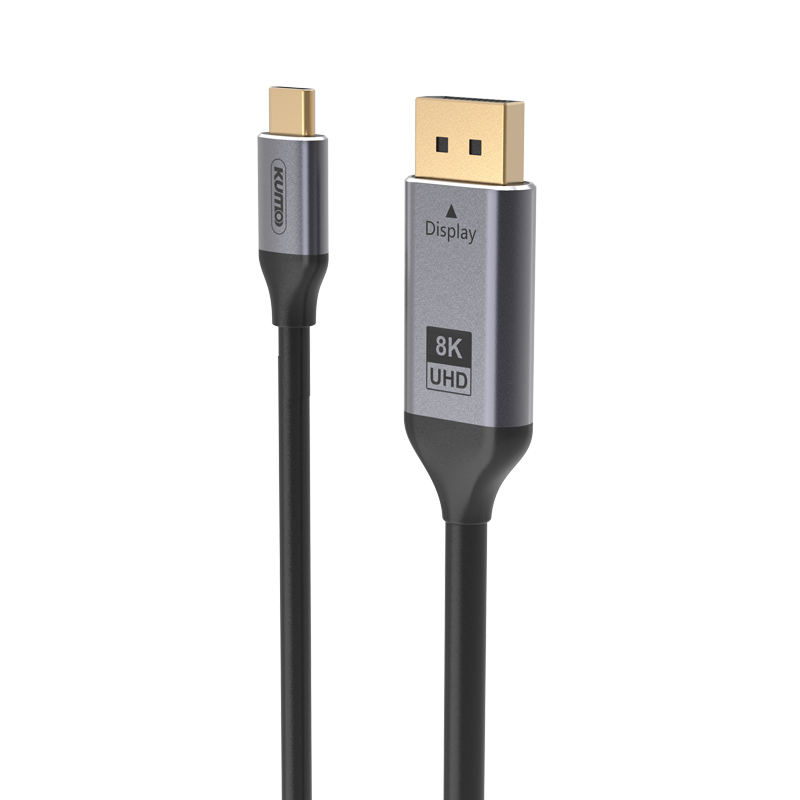
For global buyers, a USB-C hub isn’t just a travel accessory anymore. It can be the difference between a laptop driving one crisp monitor and, well, failing right at the meeting table. The Hub USB-C to DisplayPort market is picking up thanks to hybrid work, compact laptops, and higher-resolution displays. IDC’s Worldwide Quarterly Personal Computing Device Tracker keeps an eye on strong business demand for portable computing devices—and that demand feeds practical interest in reliable video adapters. Technical details still matter, though. Buyers should check USB-C DisplayPort Alt Mode, lane bandwidth, HDCP support, power delivery, and OS compatibility. VESA’s DisplayPort standards set the performance requirements, and DisplayPort 2.1 supports more bandwidth than older generations. But here’s the thing: a hub can’t create bandwidth the host computer doesn’t provide. That point gets missed a lot. It deserves more attention. Good professional testing should include a 4K or 8K monitor, a long work session, sleep-wake recovery, and connected USB devices. Look for stable connectors, clear thermal behavior, and honest specs. Omdia and TrendForce reports show continuing growth in display and device ecosystems, but market forecasts aren’t product guarantees. Buyers should compare chipset info, warranty terms, return support, and regional availability. Search terms might include 8k displayport cable high quality displayport cable 1m displayport cable 1.8m displayport cable 8k dp cable dp cable dp cable 3m displayport 1.4v cable dp to dp cable. They’re useful phrases, sure—but they should never replace hands-on validation. A compact hub may look perfect. Its real performance shows up under pressure.
Read more »
Lila By:Lila - October 19, 2026
China Best USB C Hub for Charging Suppliers?

China Best USB C Hub for Charging Suppliers?

Picking the best USB-C hub for charging supplier in China? It’s not just about who gives you the lowest price. A supplier you can trust has to show real power delivery performance, stable ports, decent thermal control, and consistent production—batch after batch. Yes, the USB Implementers Forum (USB-IF) sets the USB Type-C spec, including connector and cable rules. But just seeing “USB-C” on a product doesn’t automatically mean it will charge safely or quickly. Demand keeps growing, too. IDC’s Worldwide Quarterly Mobile Phone Tracker put smartphone shipments at about 1.24 billion in 2024, up around 6.5% year over year. A lot of those devices use USB-C, so compact hubs are showing up more in offices, classrooms, travel bags, and home desks. Omdia’s device market research points to the same thing: USB-C remains a big deal across computers, tablets, and mobile electronics. That’s good news for the [USB C Hub For Charing](https://www.sinseader.com/usb-c-hub-for-charing) category, but strong demand doesn’t mean every factory is reliable. A serious supplier should give you documented Power Delivery profiles—say, 65W or 100W input support—along with clear output limits and protection against overcurrent and overheating. Ask for test reports, factory audit records, sample inspection results, and production traceability. It also helps if they’ve worked with aluminum housings, heat dissipation, USB 3.x data rates, HDMI compatibility, and durable connectors. And check certifications against the actual model, not just a pretty company brochure. Some suppliers still say “100W charging” without explaining how much power actually reaches the laptop. That’s a red flag. My own evaluation might miss hidden quality differences between batches, too. So buyers should test samples under real loads—a laptop, monitor, SSD, and charger all running together. The best China supplier isn’t always the cheapest one. It’s the one that documents performance, answers technical questions, and stays consistent after repeat orders.
Read more »
Asher By:Asher - October 13, 2026
7 Tips for Choosing a USB C Laptop Docking Station?

7 Tips for Choosing a USB C Laptop Docking Station?

A USB-C dock can basically turn one slim laptop port into a full-on desktop setup. It can hook up a monitor, keyboard, network cable, storage drive, and even your charger. But here’s the catch: USB-C doesn’t automatically mean the same performance on every laptop or dock. The connector may look familiar, but what’s going on inside can be wildly different. That’s why it pays to choose carefully. Grand View Research’s USB Devices Market Report calls USB-C a major interface for modern computing and consumer electronics. The USB Implementers Forum also points out that USB Type-C only describes the connector—not every feature it might support. Data speed, charging power, and video output can all vary. DisplayPort Alt Mode and USB Power Delivery need separate verification. These details really matter when you’re picking a Laptop Docking Station Usb C for daily office work, design, or remote meetings. This guide gives you seven practical tips for comparing compatibility, ports, power delivery, display support, heat management, reliability, and warranty service. IDC’s Worldwide Quarterly Personal Computing Device Tracker shows commercial laptops are still central to workplace technology, so dependable connectivity keeps getting more valuable. Honestly, real-world testing matters more than nice packaging. Check the laptop’s manual, dock firmware, monitor resolution, and charger wattage before you buy. A dock might support two displays, but only at limited refresh rates. That limitation is easy to miss. No checklist is perfect. I’ve also found that cheaper models can perform well, while premium docks sometimes disappoint with unstable firmware. Use the specs as evidence, then confirm performance through trusted reviews, return policies, and manufacturer documentation.
Read more »
Lila By:Lila - October 9, 2026
Top USB C Docking Station for Global Buyers?

Top USB C Docking Station for Global Buyers?

Picking out the right USB-C docking station isn’t as straightforward as those sleek product pages often make it seem. Lots of buyers around the world tend to compare things like port options, charging power, support for multiple displays, and regional plug types. For example, a compact aluminum dock might connect two monitors, Ethernet, external storage, and a keyboard all through just one laptop cable. But honestly, how well it performs really depends on your specific setup — your computer, the OS you're using, the cable, and the resolution of your monitors. That’s why hands-on testing is so important, not just reading specs. For this guide, we took a close look at models from trusted brands like Dell, Lenovo, Anker, CalDigit, and Plugable. We tested them through an entire workday—making video calls, transferring files, charging devices, and cycling through sleep and wake modes repeatedly. We also checked for heat buildup near the USB controller, cable stability, firmware updates, and the quality of the included power adapters. If you need to connect older accessories, you can use a USB-C to USB 3.0 adapter, but keep in mind it might slow things down or create an extra point of failure. Compatibility isn’t always plug-and-play, so it’s good to double-check. When choosing, think about the service support, warranty, the quality of documentation, and whether the dock is available in your region. Different regions—Europe, North America, Asia—might get a different charger or model variant. Also, small details matter; for instance, a short host cable plugging into a side port can cause strain or even damage over time. Instead of declaring a single champion, we focus on practical value—and surprise surprises are definitely possible. Keep in mind, our tests can’t cover every weird or unusual device out there. So, before you order, it’s smart to verify your laptop’s USB-C capabilities, and make sure to pick a dock suited for your actual workloads—not just based on flashy packaging or marketing hype.
Read more »
Lila By:Lila - October 4, 2026
Why Choose a Type C Charging Hub for Global Buyers?

Why Choose a Type C Charging Hub for Global Buyers?

Global buyers aren’t just looking for a tiny charging gadget—they want something that performs reliably wherever they are—offices, hotels, warehouses, or retail spaces. A Type C Charging Hub is a game-changer, letting you connect laptops, smartphones, tablets, monitors, and storage drives all in one tidy spot. Plus, it helps cut down on all those pesky cables cluttering up a busy international desk. Benson Leung, a Google engineer famous for testing USB-C gear, once said, “USB-C is a minefield,” and honestly, that still rings true today. When choosing a hub, folks should pay attention to clear Power Delivery ratings, stable data transfer, good heat management, and verified port compatibility. Small details like these really matter—especially when comparing products from different brands. They can impact warranty claims, customer happiness, and even how much it costs to keep things running smoothly in the long run. And don’t forget about the Type C To Type C Cable Fast Charging. It’s pretty important that the cable, charger, and hub all support the same charging standard. Otherwise, you might think you're getting fast charging, but in reality, it’s slower or inconsistent. Before placing big orders, it’s a good idea to double-check aspects like wattage, USB protocol support, regional plug options, safety certifications, and after-sales support. Sometimes, small labels hide big differences. Honestly, some specs can be pretty confusing—that’s the frustrating part. Sure, a cheaper model might seem tempting, but if it can’t deliver stable power, it could mess up your presentation or slow down operations in a busy warehouse. On the flip side, a high-end model isn’t automatically perfect either. It’s always worth doing thorough testing. For global purchasing teams in particular, the best approach is to go for products with clear documentation, real-world testing results, solid build quality, and supported after-shipment service—that’s what really counts.
Read more »
Lila By:Lila - September 30, 2026
Top 4 Port USB C 3.0 Hubs for Global Buyers

Top 4 Port USB C 3.0 Hubs for Global Buyers

A small four-port hub can really help keep a busy desk from feeling cluttered. It allows you to connect your keyboard, mouse, flash drive, and printer all through a single host connection—pretty handy, right? For folks on the go, remote workers, or small businesses, that kind of convenience actually makes a difference. But honestly, just counting ports doesn’t tell the whole story. This guide is here to walk you through four-port USB-C 3.0 hubs, especially if you’re shopping from around the world. We’ll focus on the practical stuff—like what kind of connector it has, how fast it claims to transfer data, cable length, the housing, and power requirements. Sure, a USB-C 3.0 Hub with four ports is great for everyday devices, but don’t confuse it with a charging station. Remember, 'USB-C' is just about the connector—it doesn’t guarantee any specific speeds or charging power. So, always double-check the specs and your computer’s port before hitting that buy button. Small detail, but super important! We also take into account how portable these hubs are and how clear the instructions are—especially since products are available across different markets. Make sure to confirm which operating systems are supported and whether the hub needs external power, especially if you're planning to run several power-hungry devices. Oh, and keep in mind that a USB C Hub with 3 USB-C ports isn’t exactly the same as one with four USB-A ports—even though they both connect via USB-C. The names can get a little confusing! We’ll compare their actual features instead of assuming a lower price means better value or that a familiar label guarantees compatibility. Every setup is different; a hub that works smoothly with a mouse might choke when you plug in several high-power devices. Just something to keep in mind.
Read more »
Asher By:Asher - September 27, 2026
What Is a USB C Docking Station Adapter?

What Is a USB C Docking Station Adapter?

A USB-C docking station isn’t just a tiny connector with a few extra ports—it’s really about simplifying your setup. Think of it like this: you connect your laptop to a small hub with just one cable, and suddenly you’ve got access to monitors, keyboards, external drives, network cables, and even charging—all through that single USB-C connection. It makes your desk look cleaner and more organized. Of course, how well it works really depends on what the adapter actually offers under the hood. Jeff Ravencraft, who’s the head of the USB Implementers Forum, described USB Type-C as "a single, reversible connector that supports data, power, and display functions." Sounds fancy, right? But here’s the thing—just because USB-C can do all that doesn’t mean every port supports every feature. A basic USB-C hub might just let you transfer data and charge your devices, while a full-on docking station can handle multiple screens, Ethernet connections, audio, and more power delivery. The difference really does matter. Most docking stations pack in features like DisplayPort Alternate Mode, USB Power Delivery, and other data standards. For example, a USB-C to USB 3.0 Adapter can help improve compatibility with older USB-A devices, but if your laptop’s port doesn’t support video output, it won’t turn your screen into a monitor—something that’s super easy to overlook. I’ve even seen folks blame the dock when they connect it to a port that only charges and does nothing else. So, here’s the bottom line: always check your laptop manual, look at the specs of the dock, review the display resolution it can support, and see if it meets your power needs before making a purchase. Marketing language can sound really tempting, but honestly, the labels on ports tend to be more reliable. Still, it’s a good idea to test compatibility as much as you can—because firmware, cables, and even your operating system can influence how things perform in real life.
Read more »
Asher By:Asher - September 23, 2026
What Is a USB Hub Ethernet Adapter?

What Is a USB Hub Ethernet Adapter?

So, what exactly is a USB Hub Ethernet Adapter? Basically, it’s a small, handy device that combines extra USB ports with wired internet access all in one. Depending on the model, one connection can give you Ethernet, USB-A, USB-C ports, card readers, or even display support. Usually, you’d plug it into your laptop, tablet, or desktop via USB-C or USB-A, and then enjoy a more stable wired connection compared to Wi-Fi. It’s pretty useful, especially when you need a reliable internet link. Now, let’s talk about why this really matters, especially when your desk’s looking pretty crowded. Imagine charging your laptop through USB-C, while also plugging in a keyboard, reading files from a flash drive, and connecting to a wired router — all at the same time! It cuts down on a bunch of cables lying around and helps keep things neat and tidy. Keep in mind though, the Ethernet speed you get depends on a bunch of factors—like the adapter itself, your network gear, the quality of your cables, and your internet plan. Just because you’ve got a 1Gbps port doesn’t mean your internet will magically hit those speeds; it’s limited by your actual network setup anyway. Details matter here. Picking a good adapter isn’t just about counting ports. You should also check if it works with your operating system, how much power it can deliver, whether it runs hot, and if it needs specific drivers. Some models work right out of the box, while others might need a software update first. During testing, I noticed that some compact adapters can get pretty warm after transferring large files—that’s normal sometimes. But if it gets really hot and stays that way, it’s probably worth paying attention to. Also, keep in mind that many USB hubs share bandwidth across all connected devices. So, if you’re plugging in a bunch of gear at once, you might see a dip in performance. It’s a bit of a trade-off—nothing’s perfect, and it’s good to know the limits. All in all, choosing the right USB Hub Ethernet Adapter is about balancing convenience with some compromises. It’s perfect for office work, remote meetings, transferring media, or even traveling. The key is doing a little homework—reading reviews and specs—so you get something reliable that suits your needs. No device is flawless in every setup, but understanding what to expect makes all the difference.
Read more »
Ethan By:Ethan - September 18, 2026
Top USB Hubs for MacBook Buyers Worldwide?

Top USB Hubs for MacBook Buyers Worldwide?

Picking out the right USB hub for your MacBook isn’t just about counting ports—there’s a bit more to it. For example, a compact Hub Usb Macbook can add things like HDMI, SD card readers, Ethernet, and USB-A ports, but keep in mind that each model handles speed, heat, and charging differently. This guide is here to help you compare practical options for both MacBook Air and MacBook Pro users around the world—looking at brands like Anker, Belkin, Satechi, and CalDigit. Honestly, the real-world details matter a lot. If you're a photographer, you probably want a hub that can handle smooth UHS-II card transfers. On the flip side, if you work remotely, having a reliable Ethernet connection for those Zoom calls might be more important. Some folks are connecting a 4K monitor, an external SSD, a keyboard, and even charging all at once. That kind of setup can really reveal weaknesses in power delivery or thermal design. So, before you buy, double-check things like the USB standard, display resolution support, wattage limits, and whether it plays nice with macOS. Don’t just rely on the number of ports, okay? No hub is perfect, of course. A metal shell might mean it’s more durable, but it can also get pretty warm next to your MacBook. And sure, a cheaper option might look cool and save you some cash, but after a few months, you might find its HDMI or SD card slot feels kinda limited. My advice? Look at actual specs, warranty support, user reviews, and connection reliability instead of just marketing hype. Independent tests can be super helpful too—just keep in mind that results can vary depending on your cables, monitor setup, and which MacBook you have. Also, regional availability can make a difference in delivery, support, and overall value. The best pick isn’t necessarily the priciest one—it’s the one that fits your devices, your daily routine, and realistic expectations."
Read more »
Asher By:Asher - September 14, 2026
What Is a USB Type C Hub and How Does It Work?

What Is a USB Type C Hub and How Does It Work?

A USB Type-C hub is like having a little traffic cop for your laptop—that little port suddenly turns into a bunch of useful connections. You can add USB-A ports, hook up an HDMI display, slot in an SD card, connect to Ethernet, or even charge your device. It’s super handy, kind of like a compact control center, all sharing one small connector for data, video, and power. But hey, it’s not unlimited—there are some limits. In real life, a USB-C hub makes it easy to connect your keyboard, external drive, monitor, and memory card all at once—perfect for your workspace. For example, a photographer might transfer photos from an SD card while charging their MacBook at the same time. Or, if you work from home, you might connect a webcam and a wired internet connection without breaking a sweat. That said, each port has its technical limits. If you have several devices running at once, their bandwidth might get divided up, and the HDMI output’s performance can depend on your computer’s graphics capabilities. Plus, the cable itself matters—some hubs support fast charging, but only if the power rating matches your charger and device. So, when you’re shopping for a USB-C hub, don’t just count the ports. Pay attention to specs like USB version, data transfer speeds, display resolution, Power Delivery support, compatibility with your OS, and how well it handles heat. Good brands usually list these details clearly. And it’s always a smart move to check independent reviews because what you see on the box isn’t always what you get in real life. Little things can make a difference—like a short cable that keeps your desk tidy or an aluminum body that feels solid and suggests it’s up for some heavy use. But, not everything’s perfect. Sometimes marketing terms can sound more exciting than they really are, so it’s worth digging a little deeper. This guide is here to help you understand how a USB-C hub works, what its real limits are, and what features are worth paying attention to before making a purchase.
Read more »
Lila By:Lila - September 9, 2026